Run your EU DORA gap assessment in Excel – and let the workbook build the dashboard, findings and board report for you.
Preparing for the Digital Operational Resilience Act means reviewing hundreds of requirements, tracking every gap to closure and explaining the position to management. This workbook does the heavy lifting: you rate each requirement from a drop-down, and compliance scores, risk ratings, findings, remediation actions and dashboards update automatically.
What's inside
246 DORA requirements across 6 chapters and 26 articles, with the regulation wording retained and an indicative reference for each (e.g. Art. 5(2)(a)):
Chapter I – General provisions
Chapter II – ICT risk management
Chapter III – ICT-related incident management, classification and reporting
Chapter IV – Digital operational resilience testing
Chapter V – Managing of ICT third-party risk
Chapter VI – Information-sharing arrangements
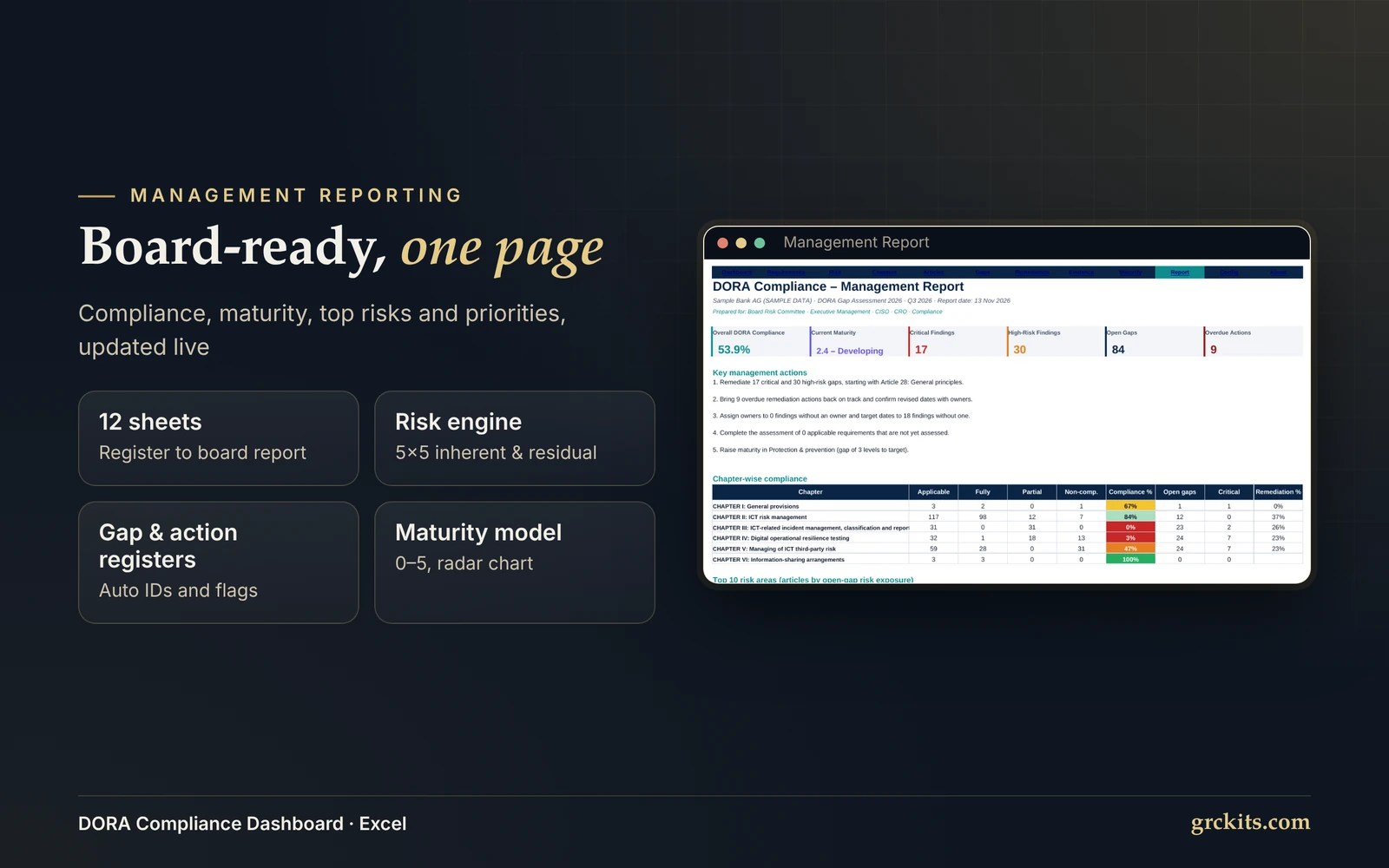
12 connected sheets
Executive Dashboard – 12 KPI cards, 9 charts, a 5×5 gap heatmap and the top 10 critical gaps. Filter by chapter, article, status, risk rating, business function, applicability, remediation status, owner and assessment date.
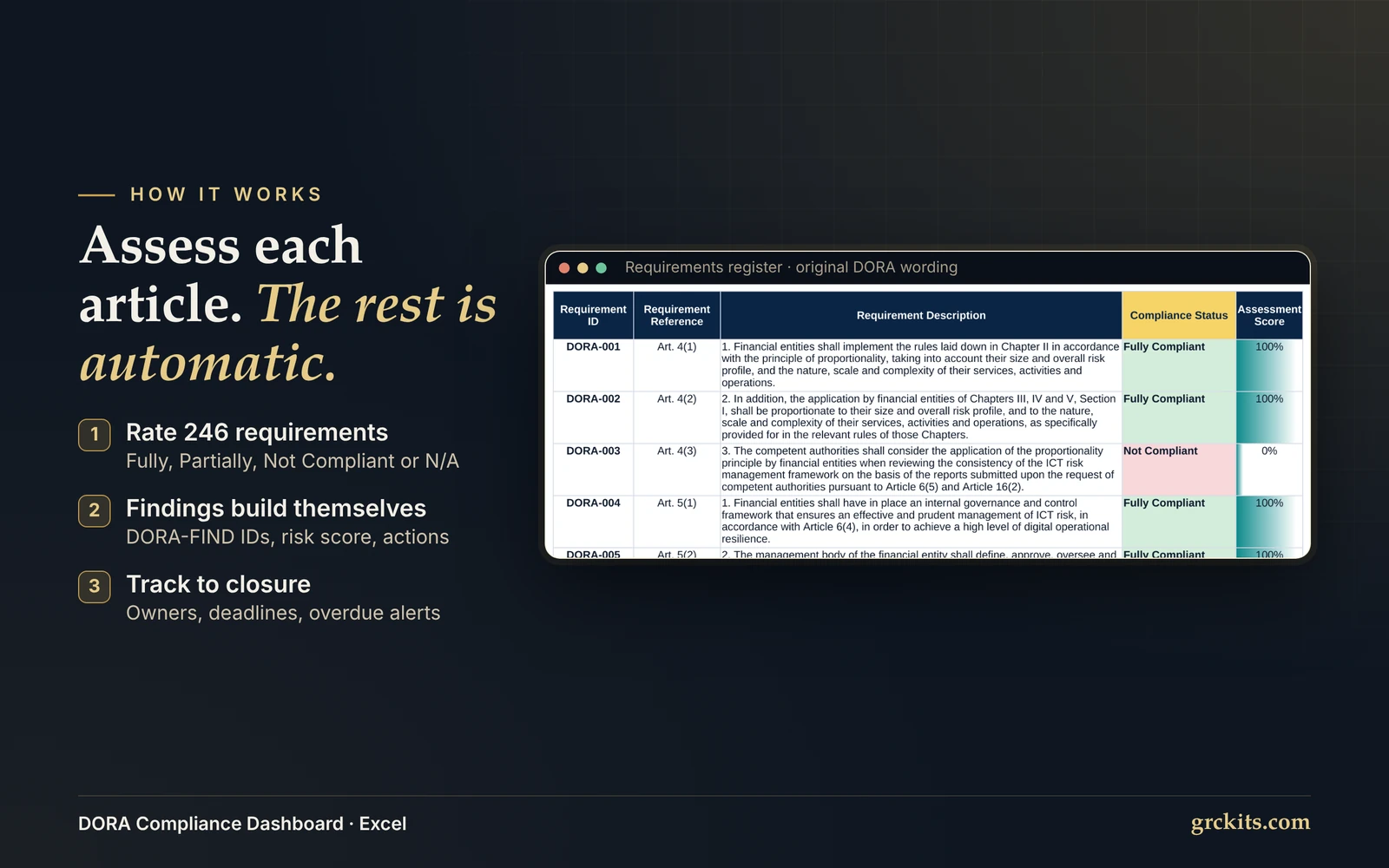
Requirements & Assessment Register – applicability, compliance status, evidence, gap description, owner, likelihood, impact, recommended action, target date and remediation status for every requirement.
Risk Assessment Engine – 5×5 likelihood × impact matrix with inherent and residual risk (Low / Medium / High / Critical).
Gap & Findings Register – findings created automatically (DORA-FIND-001…) with flags for critical, overdue, no owner, no target date and closed-without-evidence.
Remediation Action Plan – action IDs, days remaining, days overdue and due-soon alerts.
Chapter and Article Analysis – compliance %, open gaps and remediation progress, with an article-level compliance heatmap.
Evidence Register – evidence items linked to requirements, with completeness indicators.
Maturity Assessment – 21 DORA domains rated 0–5, current vs target radar chart and chapter heatmap.
Management Report – a one-page, print-ready summary for the board risk committee, CISO, CRO and compliance, including auto-generated key management actions.
Configuration – edit scores, risk thresholds, weights and every drop-down list.
How it works
Enter your assessment details.
Set the compliance status of each requirement (Fully, Partially, Not Compliant or Not Applicable).
Review the dashboard, findings, remediation plan and management report – all calculated live.
Who it's for
Banks, payment and e-money institutions, insurers and investment firms
FinTechs and ICT service providers supporting financial entities
GRC, compliance and ICT risk teams
Consultants and auditors delivering DORA gap assessments
Why you'll like it
No macros, no add-ins – formulas only, works in modern Excel
Not Applicable is excluded and unassessed requirements are never counted as compliant
Compliance %, score-based and risk-weighted compliance side by side
Two files included: a blank workbook ready for your assessment and a sample version filled with fictitious data so you can see everything working
FAQ
Is this legal advice or an official DORA tool? No. It is an assessment aid and is not endorsed by any EU authority. Requirement references are indicative – always verify against the official text of Regulation (EU) 2022/2554 and the applicable RTS/ITS.
Do I need advanced Excel skills? No. Choose values from drop-downs; all calculations, charts and registers are already built.
Where does the requirement list come from? The requirement breakdown is based on the free "DORA Gap Assessment Template v1.1" by Arun Sivadasan (allaboutgrc.com), used under its sharing terms (link: https://www.allaboutgrc.com). The regulation text is from EUR-Lex, © European Union.