Run a complete cybersecurity audit in Excel, and let the workbook do the reporting.
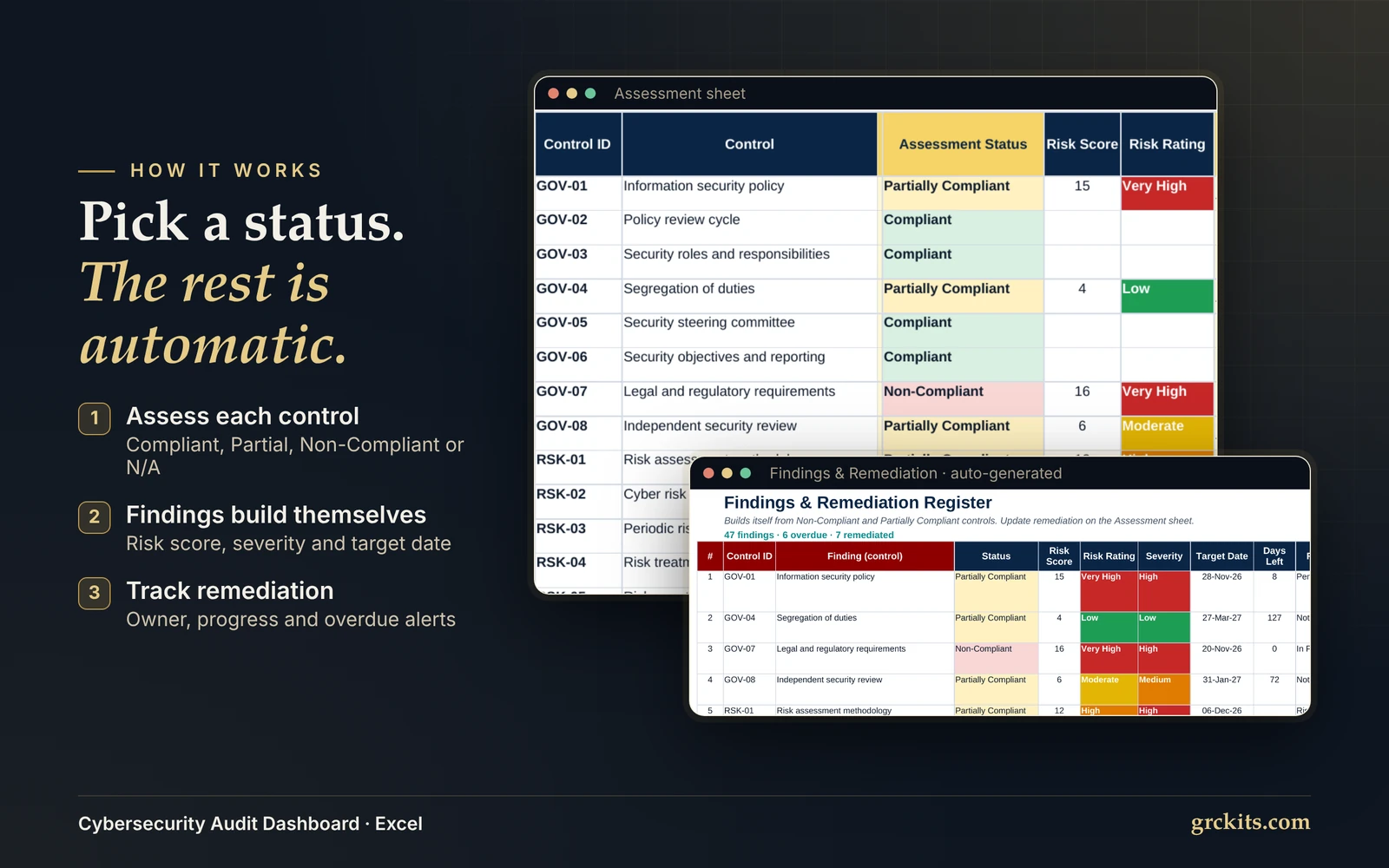
Building an audit checklist, scoring it, writing up findings and turning it all into something management can read takes days. This workbook does that work for you. You assess each control from a drop-down, and everything else updates automatically.
What’s inside
131 audit controls across 17 domains Governance & Policy · Risk Management · Asset Management · Identity & Access Management · Network Security · Endpoint & Email Security · Vulnerability & Patch Management · Configuration & Change Management · Data Protection & Cryptography · Logging & Security Monitoring · Incident Response · Backup, Continuity & Recovery · Third-Party & Supply Chain · Cloud Security · Application Security · People & Awareness · Physical & Environmental
For every control:
A clear audit question and the evidence to request
Cross-references to ISO/IEC 27001:2022 and NIST CSF 2.0
Criticality (1–5) and scoring weight that you can adjust
Status drop-down: Compliant, Partially Compliant, Non-Compliant, Not Applicable or Not Assessed
Automatic risk score (likelihood × impact), risk rating and control effectiveness
Dashboard
16 KPI cards: compliance score and rating, assessment progress, findings by severity, open and overdue findings, remediation rate, average risk
Charts: compliance status, findings by severity, gaps by risk rating, score by domain
A results table for all 17 domains with score, rating, average risk and open findings
Automatic findings register Every Non-Compliant or Partially Compliant control becomes a finding, with risk score, severity, target date, days remaining, an overdue flag and a written recommendation. Track remediation status, % complete and management response.
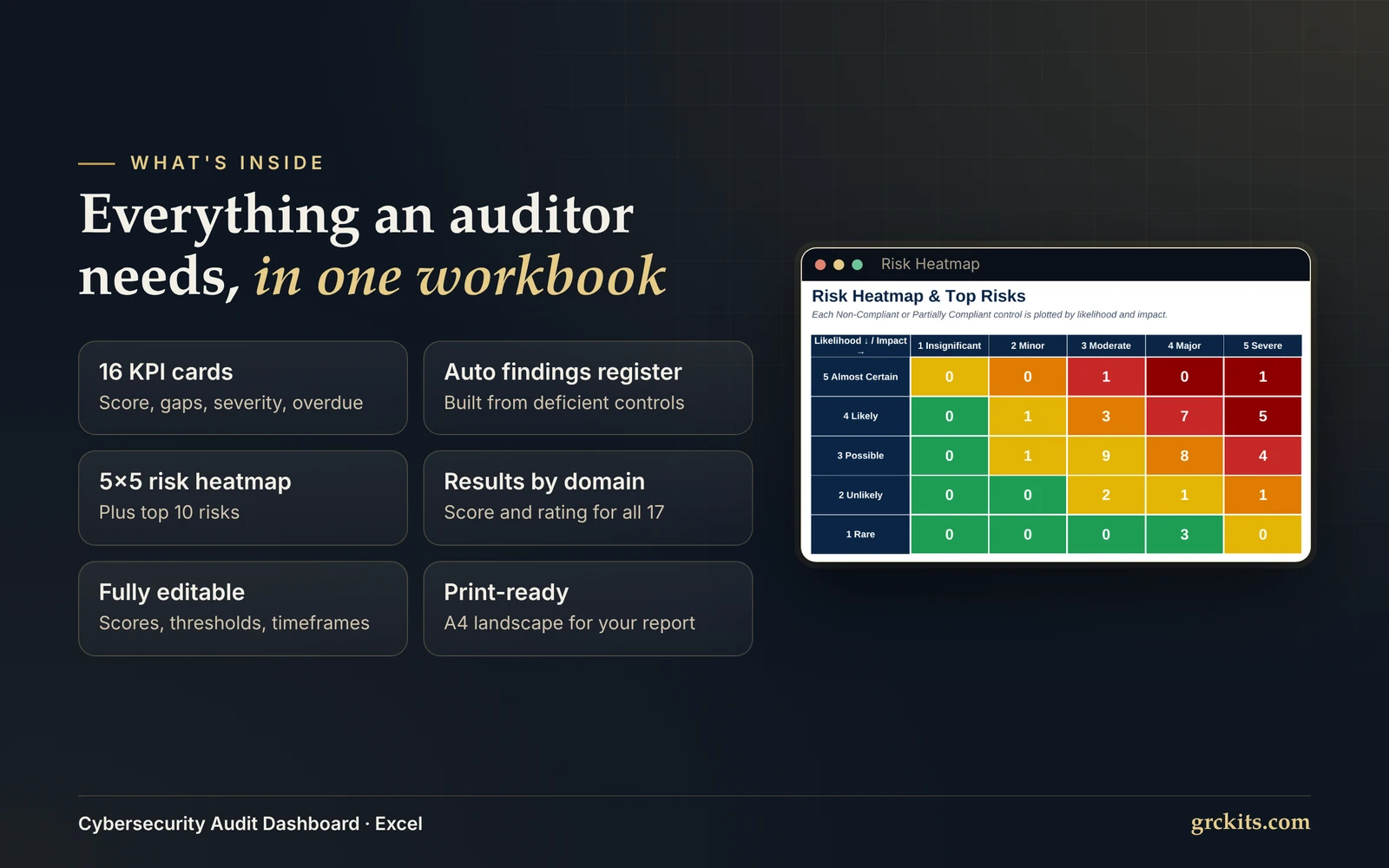
Risk heatmap A colour-coded 5×5 likelihood × impact heatmap and a ranked list of the top 10 risks.
Settings you control Change scores, compliance and risk thresholds, days to fix each severity, departments and domain names. Everything recalculates instantly.
How it works
Enter the engagement details.
Choose a status for each control.
Review the dashboard, heatmap and findings, then print or save as PDF.
Who it’s for
IT and cybersecurity auditors
Internal audit and GRC teams
Consultants delivering security assessments to clients
IT and security managers preparing for an audit
Why you’ll like it
Saves days of work building checklists and reports
Consistent scoring you can reuse on every audit and client
No macros, no add-ins, no subscription, just formulas
Room to grow: add up to 170 of your own controls
Print-ready A4 landscape pages for your audit report
What you get
Cybersecurity_Audit_Dashboard.xlsx (blank, ready to use)
Cybersecurity_Audit_Dashboard_SAMPLE.xlsx (filled with sample data so you can see how it works)
FAQ
Which frameworks does it cover? Each control is cross-referenced to ISO/IEC 27001:2022 and NIST CSF 2.0 to help you navigate both. The references are indicative, so verify them against your own licensed copy of each standard.
Do I need advanced Excel skills? No. Choose a status from the drop-down. All scoring, charts and findings are already set up.
Can I add my own controls? Yes. There is space for about 170 more controls on the Assessment sheet. Our guide to a SOC 2 audit dashboard in Excel shows how to add a SOC 2 criteria column.
Will this make us compliant or certified? No. It is an audit and assessment tool that helps you find, score and track gaps. It does not replace professional judgement or a certification audit.