Stop building cloud security audits from scratch.
Cloud audits usually mean weeks of building questionnaires, deciding what evidence to ask for, and then turning messy notes into something management can read. This toolkit does that groundwork for you.
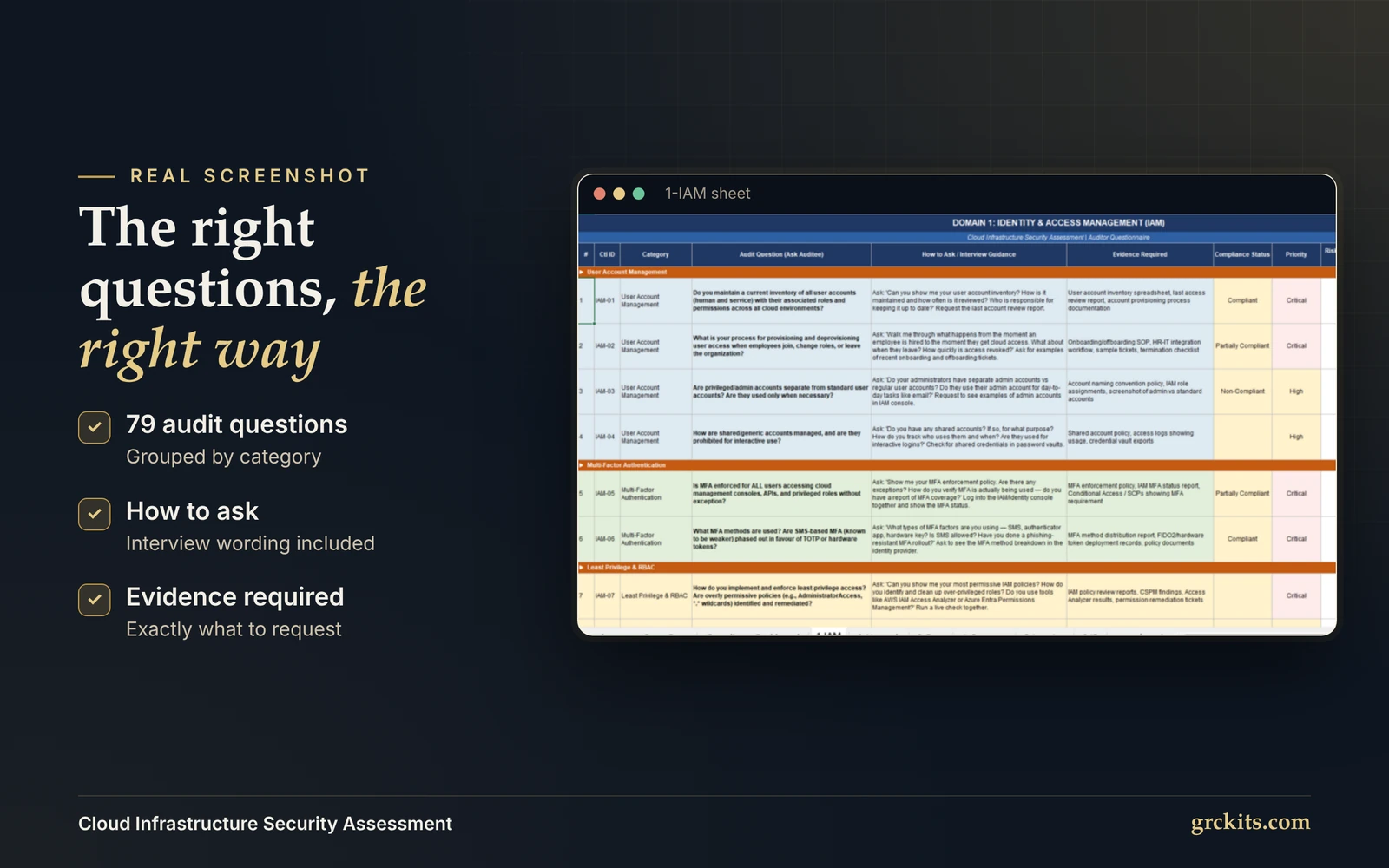
It is a complete, structured Excel workbook. You get the audit questions, the way to ask them, the evidence to request, and a dashboard that updates as you work.
What’s inside
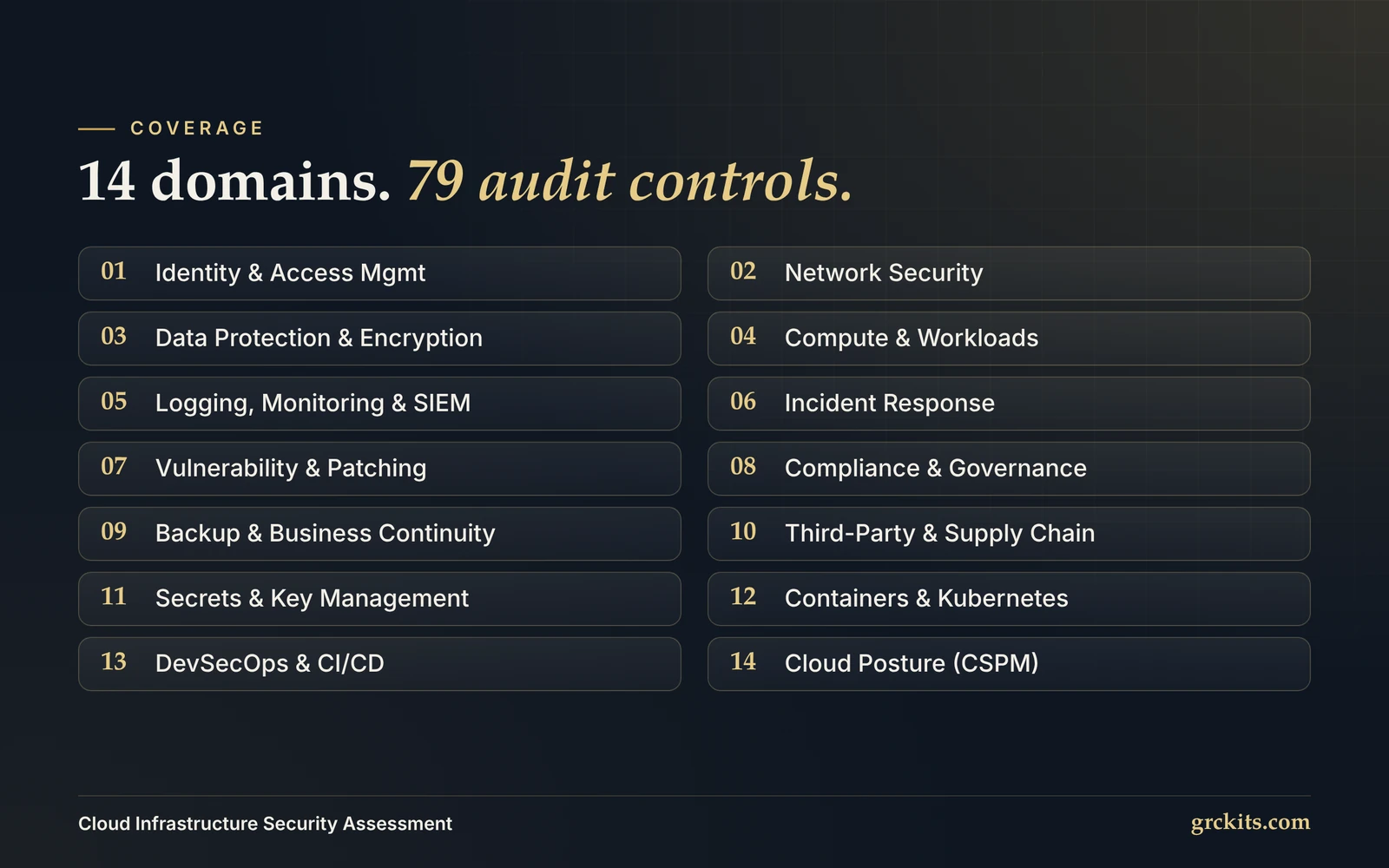
14 security domains, 79 audit controls
Identity & Access Management (IAM)
Network Security
Data Protection & Encryption
Compute & Workload Security
Logging, Monitoring & SIEM
Incident Response & Forensics
Vulnerability & Patch Management
Compliance & Governance
Backup, Recovery & Business Continuity
Third-Party & Supply Chain Security
Secrets & Key Management
Container & Kubernetes Security
DevSecOps & CI/CD Pipeline Security
Cloud Posture Management (CSPM/CWPP)
For every control you get:
Control ID and category
The audit question to ask the auditee
“How to ask” interview guidance, with the actual wording and follow-ups to use
Evidence required: exactly which documents, screenshots and reports to request
Compliance status dropdown (Compliant, Partially Compliant, Non-Compliant, N/A, Not Assessed)
Priority rating (Critical, High, Medium)
Risk score (1–5)
Auditor notes and follow-up columns
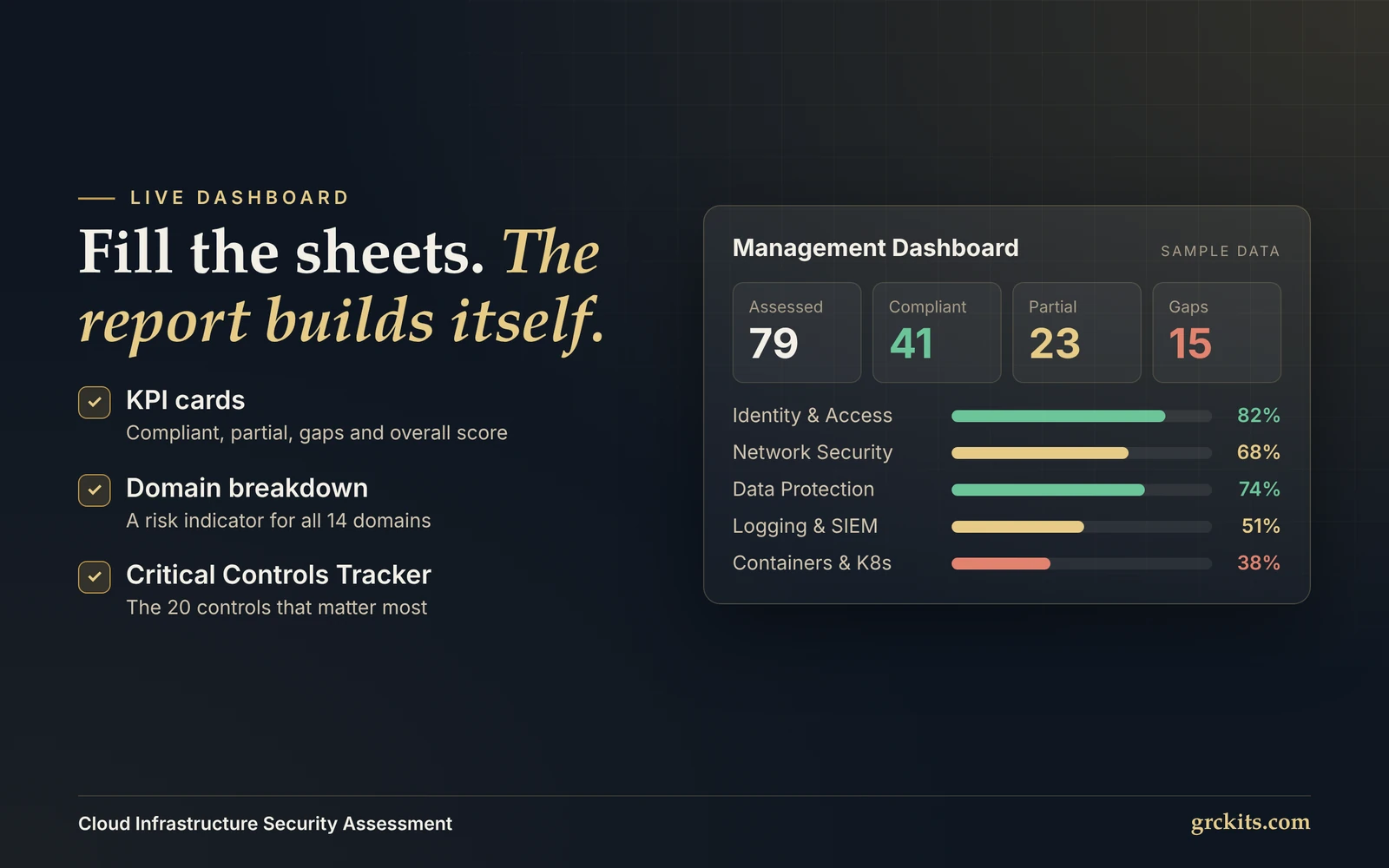
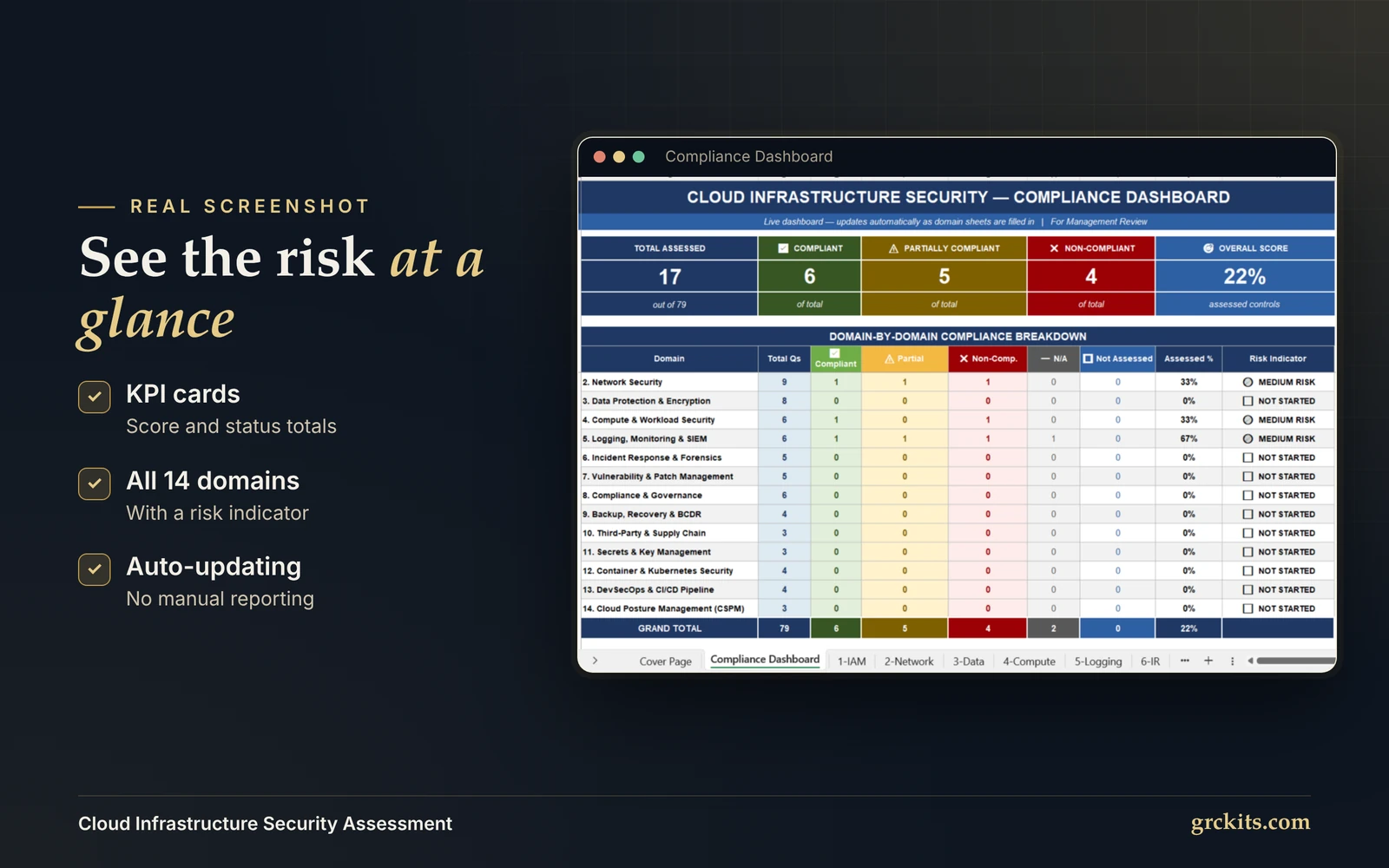
Live management dashboard
KPI cards: total assessed, compliant, partial, non-compliant, overall score
Domain-by-domain breakdown with a risk indicator for each domain
Critical Controls Tracker highlighting the 20 most important controls
All formulas calculate automatically. Fill the domain sheets and the dashboard updates.
Also included: a cover page for assessment details (organization, auditors, cloud providers, version, classification) and the legend plus instructions.
How it works
Fill in the cover page with the engagement details.
Go through each domain sheet, asking the questions and requesting the listed evidence.
Pick the compliance status, priority and risk score, and add your notes.
Share the dashboard tab with management as a summary view.
Who is this for?
Cloud security auditors and consultants
Internal audit and GRC teams
Security engineers preparing for an external audit
Freelancers who sell cloud security assessments to clients
IT managers who want a baseline of their cloud posture
Why you’ll like it
Saves hours of building questionnaires and evidence lists
Consistent structure you can reuse across clients and audits
Management-friendly dashboard, no separate reporting step
Practical: it tells you how to ask, not just what to ask
Multi-cloud: works for AWS, Azure, GCP or a mix
File details
FAQ
Does it work for AWS, Azure and GCP? Yes. The questions are provider-neutral and mention native tools for each cloud as examples.
Do I need advanced Excel skills? No. The dropdowns and formulas are already set up.
Can I rebrand it for my clients? Add your own logo and details on the cover page for your engagements. Please don’t resell or redistribute the file itself.
Will this make me compliant or certified? No. It is an audit and assessment aid. It helps you find and track gaps, but it doesn’t replace professional judgment, legal advice or a formal certification audit.